

What Is an Urdu Phonetic Keyboard?
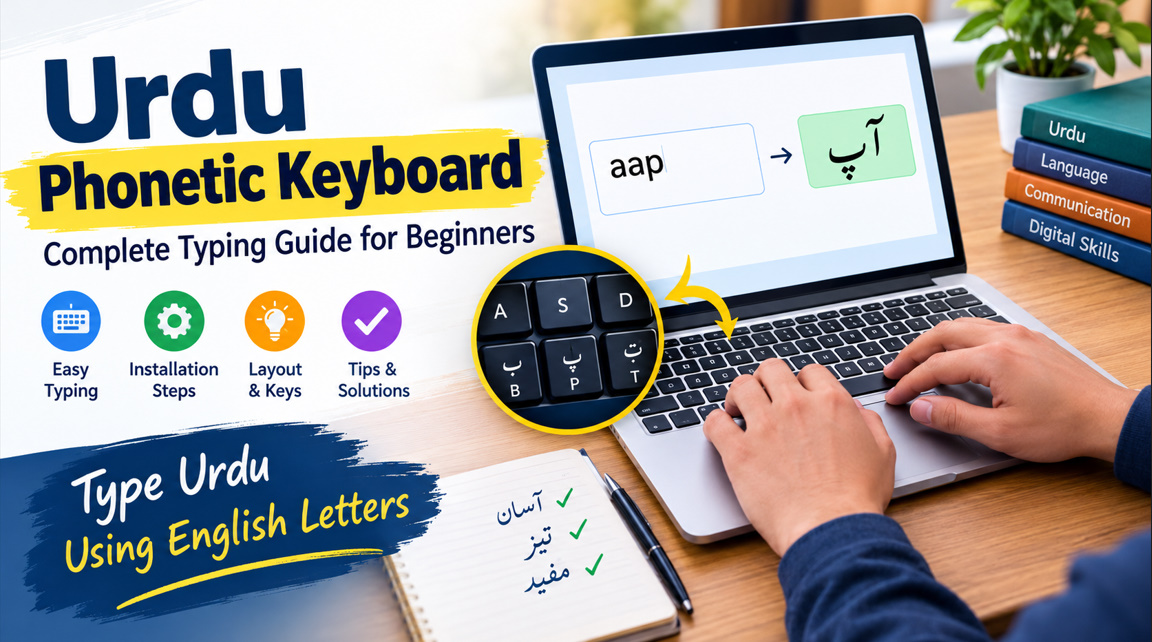
An Urdu phonetic keyboard is a typing system that allows users to write Urdu using familiar English keyboard keys. Instead of memorizing an entirely different keyboard layout, you can type letters according to their sounds. For example, pressing the corresponding phonetic keys can produce Urdu characters such as ب (bay), م (meem), and ک (kaaf).
This keyboard is especially useful for students, writers, bloggers, teachers, and anyone who regularly communicates in Urdu. Whether you are writing messages, preparing assignments, or creating Urdu content for websites, a phonetic Urdu keyboard makes the typing process more accessible. It also supports digital Urdu communication across compatible applications and platforms.
- Type Urdu using familiar English keys.
- Learn Urdu typing without memorizing every key.
- Write messages in Urdu script.
- Prepare assignments and documents.
- Create Urdu blog posts and articles.
- Communicate with Urdu-speaking audiences.
- Use Unicode Urdu in supported applications.
- Improve typing speed through regular practice.
How Does an Urdu Phonetic Keyboard Work?
An Urdu phonetic keyboard connects English letters with Urdu characters based on pronunciation. When you press a key, the keyboard produces its assigned Urdu letter. In a common CRULP-style phonetic layout, for example, the A key produces ا, B produces ب, and M produces م. Exact mappings can vary between keyboard layouts.
Keyman Support
+1
Some online Urdu typing tools work differently by converting Roman Urdu words into Urdu script. For example, typing salam may suggest سلام, while kitab may produce کتاب. These tools often provide word suggestions, allowing you to select the correct spelling before continuing your sentence.
- English keys correspond to Urdu letters.
- Phonetic layouts follow familiar sounds.
- Roman Urdu can be converted into Urdu script.
- Word suggestions help improve spelling.
- Unicode supports modern Urdu text.
- Right-to-left writing is supported.
- Shift keys may provide additional characters.
- Layouts differ between software and devices.
Benefits of Using an Urdu Phonetic Keyboard
One major benefit of an Urdu phonetic keyboard is its beginner-friendly design. People who already understand the Urdu alphabet can often learn the basic key positions quickly. Rather than memorizing a traditional keyboard arrangement, users can rely on familiar English letters to enter many common Urdu characters.
A phonetic Urdu typing system can also improve productivity when writing emails, social media posts, educational materials, and professional documents. With regular practice, users can develop consistent typing habits and spend less time searching for individual characters. Predictive suggestions and automatic conversion may make everyday Urdu typing even more convenient.
- Beginner-friendly Urdu typing.
- Less time spent learning key positions.
- Convenient bilingual writing.
- Faster message composition.
- Useful for educational assignments.
- Suitable for blogging and content creation.
- Helpful for Urdu social media posts.
- Supports everyday digital communication.
How to Install an Urdu Phonetic Keyboard on Windows
Windows users can begin by opening Settings and navigating to Time & language, followed by Language & region. Add Urdu as a language and review the available keyboard options. Windows includes a standard Urdu keyboard, but a separate phonetic layout may be needed if you want English keys to correspond to Urdu sounds.
Pakistan Era
+1
If a suitable phonetic layout is available through your preferred keyboard provider, install it according to the provider’s instructions. Once configured, switch between English and Urdu using the language selector on the taskbar or the Windows key + Space shortcut. Open a text editor to test the layout and confirm that the expected Urdu characters appear.
- Open Windows Settings.
- Select Time & language.
- Navigate to Language & region.
- Add the Urdu language.
- Review the available keyboard layouts.
- Install a trusted phonetic layout if needed.
- Press Windows + Space to switch layouts.
- Test Urdu typing in a text editor.
How to Use an Urdu Phonetic Keyboard on Mobile
Typing Urdu on a smartphone is straightforward when your preferred keyboard supports Urdu. On Android, open your keyboard settings and look for Urdu in the available language options. Google Gboard is one option, although the available layouts and transliteration features can vary by device, region, and keyboard version.
On an iPhone or iPad, open Settings, select General, and navigate to Keyboard to add an Urdu keyboard. You can then switch languages using the keyboard’s language control. If you prefer entering English-letter spellings and converting them into Urdu, choose a compatible transliteration option when one is available.
Pakistan Era
+1
- Open your phone’s keyboard settings.
- Find the language options.
- Add Urdu to your keyboard.
- Choose a suitable layout.
- Enable transliteration if supported.
- Switch languages while typing.
- Test the keyboard in a messaging app.
- Review permissions before installing third-party keyboards.
Urdu Phonetic Keyboard Layout and Common Key Mappings
Understanding the Urdu phonetic keyboard layout helps beginners become more confident typists. In a common CRULP-style layout, several English keys produce Urdu characters with related sounds. For instance, B corresponds to ب, P to پ, T to ت, K to ک, and N to ن. These examples provide a useful starting point for practicing the Urdu alphabet.
Urdu Keyboard, Type in Urdu Free
+1
However, not every Urdu sound has a direct English equivalent. Letters such as ث, ص, and س can represent similar sounds in many contexts but remain distinct in Urdu spelling. Additional characters may require Shift combinations or other keyboard functions. Always consult the documentation for your specific layout to avoid confusion.
| English key | Urdu character | Letter name |
| A | ا | Alif |
| B | ب | Bay |
| P | پ | Pay |
| T | ت | Tay |
| K | ک | Kaaf |
| M | م | Meem |
| N | ن | Noon |
| R | ر | Ray |
- Learn the main letter mappings first.
- Practice common Urdu consonants.
- Understand the difference between similar letters.
- Explore Shift combinations.
- Learn the positions of punctuation marks.
- Practice typing short words.
- Check the selected keyboard layout.
- Keep a reference chart nearby.
Online Urdu Phonetic Keyboard vs. Installed Software
An online Urdu phonetic keyboard lets you type Urdu directly in a browser without necessarily installing additional software. Depending on the tool, you may enter Roman Urdu, click an on-screen keyboard, select suggested words, and copy the resulting text into another application. This option is convenient for occasional writing or using a shared computer.
Installed keyboard software is often more practical for frequent Urdu typing because it can work across multiple desktop applications. However, features vary by provider, and some layouts require separate installation. Consider your typing habits, privacy preferences, and compatibility needs before choosing between an online Urdu keyboard and a system-wide phonetic layout.
| Feature | Online keyboard | Installed keyboard |
| Installation | Usually unnecessary | May be required |
| Internet access | Often required | Usually not required after setup |
| App compatibility | Depends on copying text | Often works across applications |
| Typing method | Phonetic input or transliteration | Depends on the selected layout |
| Best for | Occasional typing | Frequent Urdu writing |
- Choose an online tool for quick tasks.
- Use installed software for regular typing.
- Check whether Roman Urdu conversion is supported.
- Confirm compatibility with your operating system.
- Review privacy policies before entering sensitive text.
- Prefer trusted software providers.
- Test text copying before writing long documents.
- Compare available features before choosing.
Common Urdu Typing Problems and Their Solutions
Beginners may encounter incorrect characters, unexpected keyboard mappings, punctuation problems, or difficulties displaying Urdu text correctly. These issues can occur when the selected layout differs from the one being practiced. Before changing settings, confirm that the active keyboard is the intended phonetic layout rather than a standard Urdu keyboard or another language input method.
Urdu is written from right to left, so some applications may need their paragraph direction adjusted. If letters appear disconnected or incorrectly arranged, check the application’s Urdu and Unicode support. You should also review the font and text direction settings. Testing a short sentence in another compatible application can help identify whether the issue comes from the keyboard or the software.
- Verify the active keyboard language.
- Confirm the selected phonetic layout.
- Check the expected key mappings.
- Enable right-to-left paragraph direction.
- Use a font that supports Urdu script.
- Update compatible keyboard software when necessary.
- Test the text in another application.
- Review spelling before publishing.
Tips to Improve Urdu Phonetic Typing Speed and Accuracy
Improving Urdu typing speed requires consistent practice rather than memorizing every character at once. Start with short words and everyday phrases before moving on to longer paragraphs. Practice the letters that appear frequently in your writing, and focus on accuracy before trying to increase your words per minute.
As your confidence improves, practice typing complete sentences, switching between Urdu and English, and using punctuation correctly. Review your text after each exercise to identify repeated mistakes. If your keyboard provides word suggestions or transliteration, learn how to select the correct Urdu spelling instead of accepting the first suggestion automatically.
- Practice for 10–15 minutes regularly.
- Start with common Urdu words.
- Learn frequently used key combinations.
- Type short sentences before long paragraphs.
- Focus on spelling accuracy.
- Practice Urdu and English switching.
- Review your mistakes after each session.
- Build speed gradually through repetition.